
How Can Businesses Benefit From Using Analytics on Their Website? A Practical Guide for Small Businesses
Introduction
How can businesses benefit from using analytics on their website? For many small businesses, analytics tools like small business Google Analytics are installed but rarely used correctly, leaving valuable insights and growth opportunities untapped. When used properly, website analytics can transform guesswork into informed decision-making and measurable growth.
Why Website Analytics Matters for Small Businesses
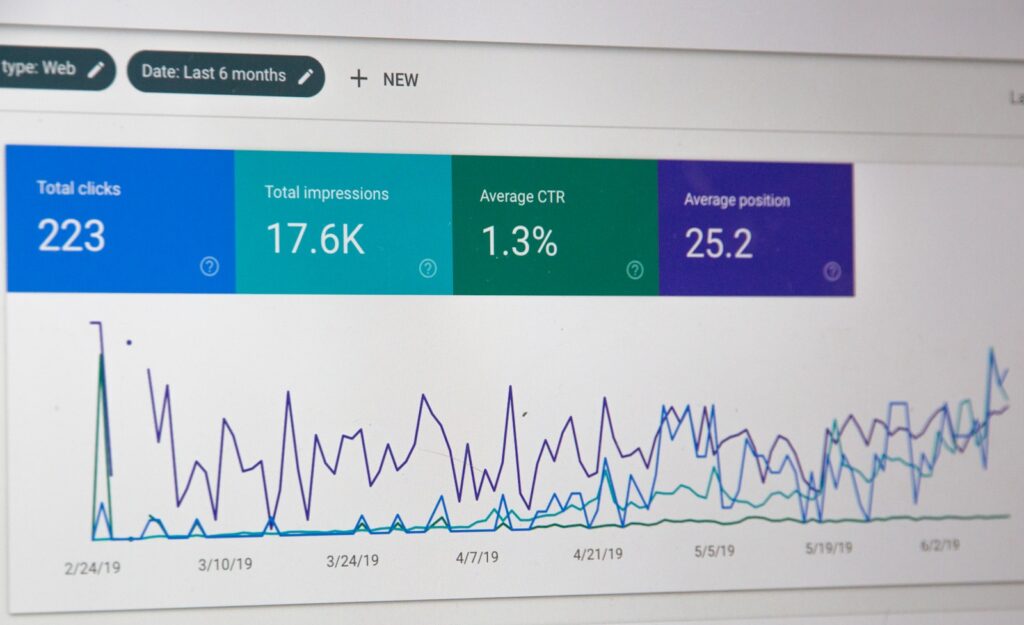
Website analytics gives businesses clarity into how visitors actually interact with their site. Instead of relying on assumptions, small business owners can see what pages matter, where visitors drop off, and which marketing efforts are producing results. Tools like small business Google Analytics make this level of insight accessible even without a technical background.
How Businesses Benefit From Using Analytics on Their Website
Better Decision-Making Without Guesswork
Analytics replaces opinions with data. Businesses can confidently decide which pages to improve, what content to create next, and where to focus their time and budget.
More Leads Without Increasing Traffic
By understanding how users move through a website, businesses can optimize key pages and conversion paths. Small improvements informed by small business Google Analytics often lead to higher conversion rates without needing more visitors.
Smarter Marketing Spend
Analytics shows which channels drive real results. Whether traffic comes from search, social media, or paid ads, businesses can double down on what works and cut what doesn’t.
What Google Analytics Helps Small Businesses Understand
Where Website Traffic Comes From
Small business Google Analytics reveals whether visitors are arriving from organic search, social platforms, paid ads, referrals, or direct visits. This insight helps businesses prioritize the channels that matter most.
Which Pages Drive Results
High traffic does not always mean high value. Analytics highlights which pages generate leads, keep users engaged, or drive conversions.
How Visitors Navigate the Website
Understanding common user paths, entry pages, and exit pages helps businesses identify friction points and improve overall user experience.
Key Google Analytics Metrics Every Small Business Should Track
Users and Sessions
Tracking overall growth trends over time is more valuable than focusing on daily fluctuations.
Engagement Rate and Time on Page
These metrics show whether visitors find the content useful or leave quickly.
Conversions and Events
Form submissions, button clicks, calls, and bookings are the actions that actually move a business forward. Small business Google Analytics allows these actions to be tracked and measured.
Top Landing Pages
Landing pages create first impressions. Analytics helps identify which pages deserve the most optimization attention.
Common Analytics Mistakes Small Businesses Make
Many businesses install analytics and never review it. Others track too many metrics without understanding what matters. Relying on short-term data or failing to set up conversions properly are also common issues that limit the value of small business Google Analytics.
How to Start Using Google Analytics the Right Way
Small businesses should review analytics consistently, focusing on trends rather than daily spikes. Tracking a few core metrics, such as traffic sources, top pages, and conversions, allows businesses to make meaningful improvements over time. Changes should be made intentionally and measured carefully.
How Everyday Web Helps Businesses Use Analytics for Growth
Everyday Web helps small businesses move beyond raw data. From proper small business Google Analytics setup to conversion tracking and ongoing insights, analytics is integrated into every website build and support plan. The focus is always on clarity, performance, and growth.
How to Integrate Google Analytics on Popular Website Platforms
Setting up Google Analytics correctly is essential for getting accurate data from your website. While the process varies slightly by platform, most small businesses can integrate small business Google Analytics in just a few steps.
Google Analytics Integration on WordPress
WordPress offers the most flexibility when it comes to analytics. Google Analytics can be added using a plugin or by inserting the tracking code directly into the site header.
Many small businesses prefer using a trusted plugin because it simplifies setup, enables event tracking, and reduces the risk of code errors.
Helpful resources:
- https://wordpress.org/support/article/google-analytics/
- https://support.google.com/analytics/answer/1008015
For businesses working with Everyday Web, Google Analytics setup is included on all WordPress websites under our Enhanced plan, ensuring small business Google Analytics is properly configured from day one. Learn more at:
http://everydayweb.co/websites
Google Analytics Integration on Wix
Wix allows Google Analytics to be connected directly through its dashboard. Users simply paste their Measurement ID into the site settings and publish the site.
Helpful resources:
- https://support.wix.com/en/article/connecting-google-analytics-to-your-wix-site
- https://support.google.com/analytics/answer/9304153
Google Analytics Integration on Squarespace
Squarespace provides built-in Google Analytics support through its settings panel. Once connected, analytics data begins tracking automatically without additional plugins.
Helpful resources:
- https://support.squarespace.com/hc/en-us/articles/205815908-Using-Google-Analytics-with-Squarespace
- https://support.google.com/analytics/answer/9304153
Google Analytics Integration on Shopify
Shopify supports Google Analytics natively and allows enhanced ecommerce tracking for online stores. This integration helps businesses track product views, cart behavior, and completed purchases.
Helpful resources:
- https://help.shopify.com/en/manual/reports-and-analytics/google-analytics
- https://support.google.com/analytics/answer/1008015
Choosing the Right Platform for Analytics Flexibility
While all major platforms support small business Google Analytics, WordPress offers the greatest flexibility for customization, conversion tracking, and long-term growth. This is why Everyday Web prioritizes WordPress builds for businesses that want deeper insights and more control over their data.
Conclusion
Website analytics is not about numbers on a dashboard. It is about understanding behavior, improving decisions, and creating better outcomes. When businesses use analytics on their website effectively, especially through tools like small business Google Analytics, they gain the clarity needed to grow with confidence.