By Dan Jacob, Everyday Web | Photography by Kenneth Huang Photography
Philadelphia is about to get loud. The FIFA World Cup 2026. America’s 250th birthday. The MLB All-Star Game. Conservatively, over 1 million visitors are expected to pour into the city — searching on their phones for food, services, shops, and experiences. If you attended our workshop with SEPTA you know how important it is to get your ducks in a row here as a small business.
And when they search, Google decides who shows up.
If your Google Business Profile isn’t set up, verified, and optimized before they arrive — you’re invisible. This guide is for every Philadelphia small business owner who wants to be found, not missed, when the biggest economic moment in this city’s modern history hits.
What Is Google Business Profile?
Google Business Profile (formerly Google My Business) is the free tool Google gives businesses to manage how they appear in Google Search and Google Maps. When someone searches “best cheesesteak near me” or “plumber in Fishtown” — the results that show up with photos, hours, reviews, and a map pin? Those are Google Business Profiles.
It’s not a website. It’s not social media. It’s its own thing — and for local businesses, it’s often the most important digital real estate you own.
Why It Matters More Than Ever in 2026
Here’s the reality: most of those 1 million visitors coming to Philadelphia for the World Cup and the Semiquincentennial are not going to type “everydayweb.co/” into a browser. They’re going to open Google Maps and search for something nearby.
If your business doesn’t have a complete, optimized Google Business Profile in Philadelphia, you don’t exist to them. Full stop.
The businesses that win in 2026 won’t necessarily be the best — they’ll be the most visible. And visibility on Google starts with your Business Profile.
How to Set Up Your Google Business Profile (Step by Step)
Step 1: Claim or Create Your Profile
Go to business.google.com and search for your business name. If it already exists, claim it. If not, create it from scratch.
You’ll need a Google account. Use your business email if you have one.
Step 2: Fill Out Every Field
Google rewards completeness. Don’t leave anything blank:
- Business name — exactly as it appears everywhere else (consistency matters for SEO)
- Category — choose the most specific primary category that describes what you do
- Address or service area — if you serve customers at a location, add the address; if you go to them (contractors, cleaners, etc.), set a service area instead
- Phone number — use your main business line
- Website — link to your website homepage or a relevant landing page
- Hours — including holiday hours when relevant
- Description — 750 characters max; lead with what you do and where you serve
Step 3: Verify Your Profile
Google needs to confirm you actually own the business. Verification methods include:
- Postcard by mail (most common — takes 5–14 days)
- Phone or email (available for some businesses)
- Video verification — Google has been rolling out video verification as an option; you record a short clip showing your storefront, signage, and equipment
If you’re stuck in verification purgatory, you’re not alone — Google’s verification process frustrates a lot of business owners. This is one of the main reasons people search for Google Business Profile experts or a Google Business Profile consultant: the setup isn’t always straightforward, especially for newer businesses or service-area businesses without a physical storefront.
Step 4: Add Photos
Google profiles with photos get significantly more clicks than those without. Add:
- Your storefront or location (exterior and interior)
- Your team or yourself at work
- Products, services, or finished work
- Your logo
Keep photos updated. Stale profiles signal inactive businesses.
Note on pending photos: If your photos show as “pending,” they’re under review by Google — this is normal and usually resolves within a few days. Don’t re-upload the same photos repeatedly; it can slow the process.
Step 5: Start Collecting Reviews
Reviews are the single highest-impact thing you can do for your local ranking. A business with 25 honest reviews will outrank a competitor with zero every time.
How to get reviews fast:
- Ask every customer directly after a job or purchase
- Send a follow-up text or email with your review link
- Add a QR code to your receipts, business cards, or storefront
For Philadelphia businesses right now: if you recently hosted or attended a workshop, community event, or pop-up — ask those attendees. They had a real experience with you and can leave a legitimate review.
The Most Common Google Business Profile Problems (and How to Fix Them)
A lot of Philadelphia business owners set up their profile and then run into walls. Here are the most frequent issues:
“My business got suspended or deleted”
This happens more than it should. Common causes: address inconsistencies, violating Google’s guidelines (often accidentally), or operating from a virtual office or shared space. If your profile was suspended, you’ll need to file a reinstatement request through Google’s support process — which, yes, is a pain.
“I can’t get anyone on the phone at Google”
This is one of the most-searched frustrations around Google Business Profile. People look for a Google Business Profile phone number, an 1800 number, a hotline — and find almost nothing useful. Google’s direct support for GBP is notoriously hard to reach. Your best options are: the Google Business Profile Help Center, the Google Business Profile community forums, or working with a Google Business Profile agency or consultant who has navigated this process many times.
“I’m trying to set up a profile but I don’t have a physical address”
If you run a service-area business — a contractor, cleaner, caterer, photographer, or mobile service — you don’t need to display a physical address. You can set a service area instead. Be careful with virtual office addresses: Google’s policies around virtual addresses have tightened, and listings using mailbox services can be flagged.
“My photos keep getting rejected”
Google auto-moderates photos and sometimes rejects legitimate images. Check that your photos meet Google’s content guidelines (no text overlays, no stock images, no logos as cover photos) and try re-uploading from a different device or browser.
“I don’t know if my profile is even working”
Log into your Google Business Profile dashboard and check the Insights tab. You’ll see how many people found you via search vs. maps, how many clicked for directions, and how many called you. If those numbers are low or flat, your profile needs optimization work.
What Google Actually Looks For
Getting on the first page of Google Maps results in Philadelphia comes down to three things:
1. Relevance — Does your profile match what the searcher is looking for? This is why your category, description, and services need to be precise.
2. Distance — How close is your business to the searcher? You can’t control this, but service-area settings matter.
3. Prominence — How well-known and trusted is your business online? This is where reviews, your website’s SEO, and backlinks from other sites come into play.
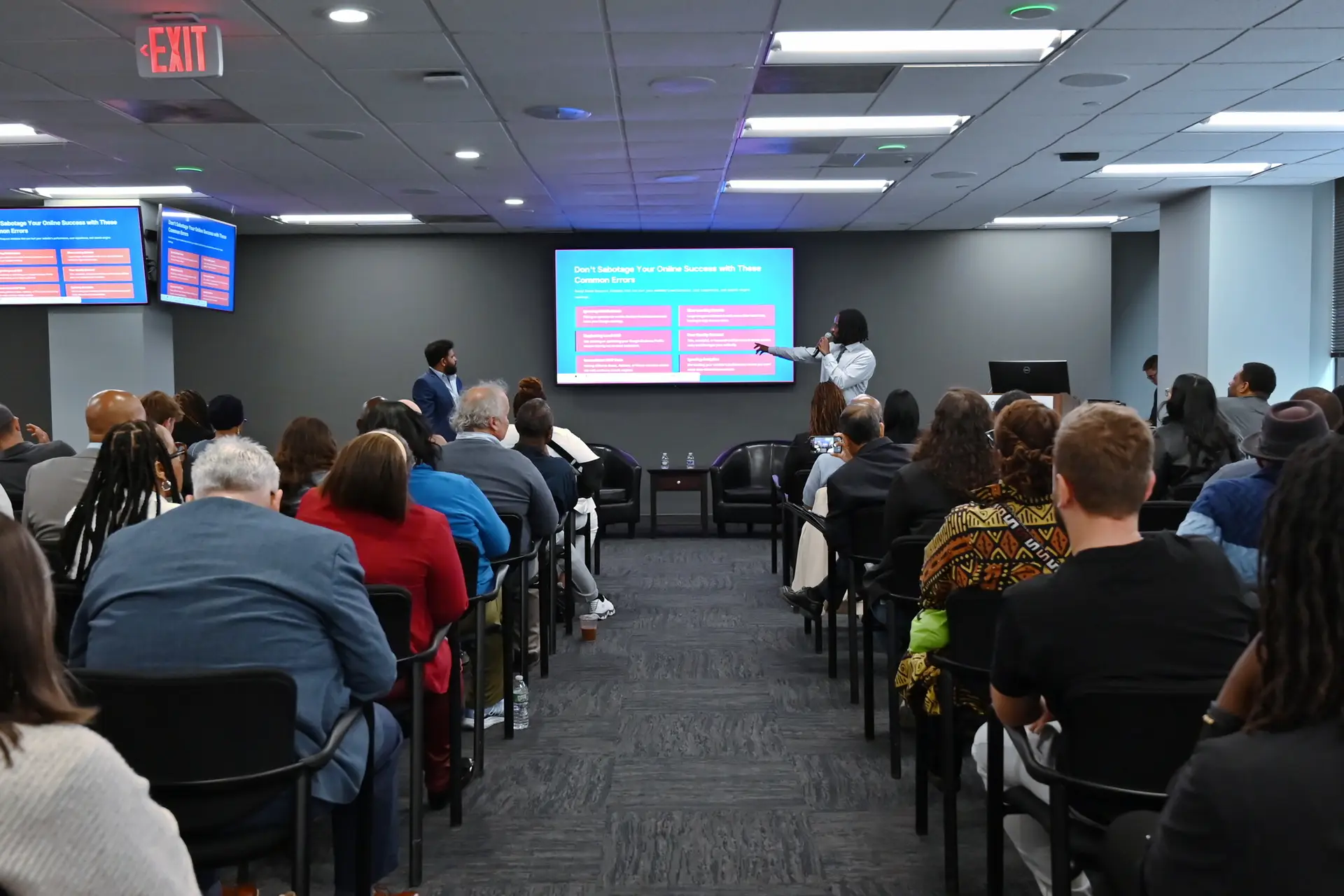
Everyday Web’s SEPTA Small Business Playbook Workshop mentioned that businesses with complete Google Business Profiles are 2.7x more likely to be seen as reputable by potential customers. Prominence is built over time — which is why starting now, before the 2026 rush, matters.
Industries Where Google Business Profile Is Non-Negotiable in Philadelphia
Some businesses live and die by their GBP ranking:
- Restaurants and food businesses — visitors search “near me” constantly
- Contractors, roofers, electricians, plumbers — high-intent searches with immediate buying decisions
- Barbershops and salons — appointment-driven, heavily review-dependent
- Retail and boutiques — shoppers check hours and photos before walking in
- Cleaning services — people hire from Google Maps reviews, not referrals
- Auto repair and towing — urgent need, zero brand loyalty, first result wins
If your business is in any of these categories and you don’t have an optimized profile in Philadelphia, a competitor is getting your customers right now.
Should You Manage This Yourself or Hire a Google Business Profile Agency?
Honest answer: you can manage your own Google Business Profile. It’s free, and the basics aren’t complicated.
But there’s a big difference between a claimed profile and an optimized one. Most business owners set it up once and forget it. Meanwhile, competitors who work with a Google Business Profile agency or consultant are:
- Responding to every review (which Google rewards)
- Posting weekly updates and offers
- Adding new photos regularly
- Running Q&A sections with seeded questions
- Monitoring for unauthorized edits or suspension risks
- Connecting their GBP data to their broader SEO strategy
If you’re running a business full-time and don’t have bandwidth to stay on top of this, working with a Google Business Profile expert in Philadelphia is one of the highest-ROI moves you can make heading into 2026.
Everyday Web Can Handle This For You
Everyday Web is a Philadelphia-based web design agency and AI website builder — and we help small businesses not just get a website, but get found online.
We set up, verify, optimize, and manage Google Business Profiles for Philadelphia small businesses. We also build fast, SEO-optimized websites starting at $500 with a $49 deposit to start — so when someone lands on your profile and clicks your website link, they actually convert.
If you want to be visible when 1 million visitors hit Philadelphia in 2026, the time to act is now — not in December.
→ Get your Google Business Profile optimized by Everyday Web
→ Start your website for $49 today
About Everyday Web
Everyday Web is a Philadelphia-based web design agency helping small businesses get online and get found. We build fast, SEO-optimized websites starting at $500 — with a $49 deposit to start. From Google Business Profile setup to full website builds, we’re the partner Philly small businesses trust to compete in the digital era.
everydayweb.co/ | Based in Philadelphia, PA | 215-774-9968
Want Everyday Web to handle your Google Business Profile and website before the World Cup crowds arrive? Contact us here.